


Cancel WEEX Spot Order: What Returns to Your Balance and When
To cancel a WEEX spot order, open the Open Orders section of the spot trading page, find the order, and cancel it; only the part that has not been matched is cancelled, and the funds reserved for it go back to your available balance. Anything that already filled stays filled. You keep the coins you bought, or the USDT you received from selling, and the trading fee on that slice has already been charged.
That split between the filled and unfilled portion causes most of the confusion. WEEX's own Spot Trading Terms of Use spell out the rule: you can cancel an order only before it is matched, and for a partially matched order you can cancel the remaining unmatched portion.
This guide covers the cancel steps, how to clear several orders at once, a worked 0.01 BTC example that follows available and frozen USDT through every stage, and what to check when a balance still looks locked after you cancel. Labels quoted below come from WEEX's published guides as of October 2026; exact button names can shift between app and web versions.
How to Cancel a WEEX Spot Order Step by Step
WEEX's spot guide directs traders to the "Open Orders" section to see live orders, and that is where cancelling starts. It sits on the trading page of each pair, such as BTC/USDT spot, with the exact position differing between the web layout and the app.
- Open the spot pair you placed the order on. Some views filter the list to the current pair, so if the order is missing, switch pairs or turn off any "current pair only" filter.
- Go to Open Orders. Each row shows the side, price, order quantity, and how much has already filled.
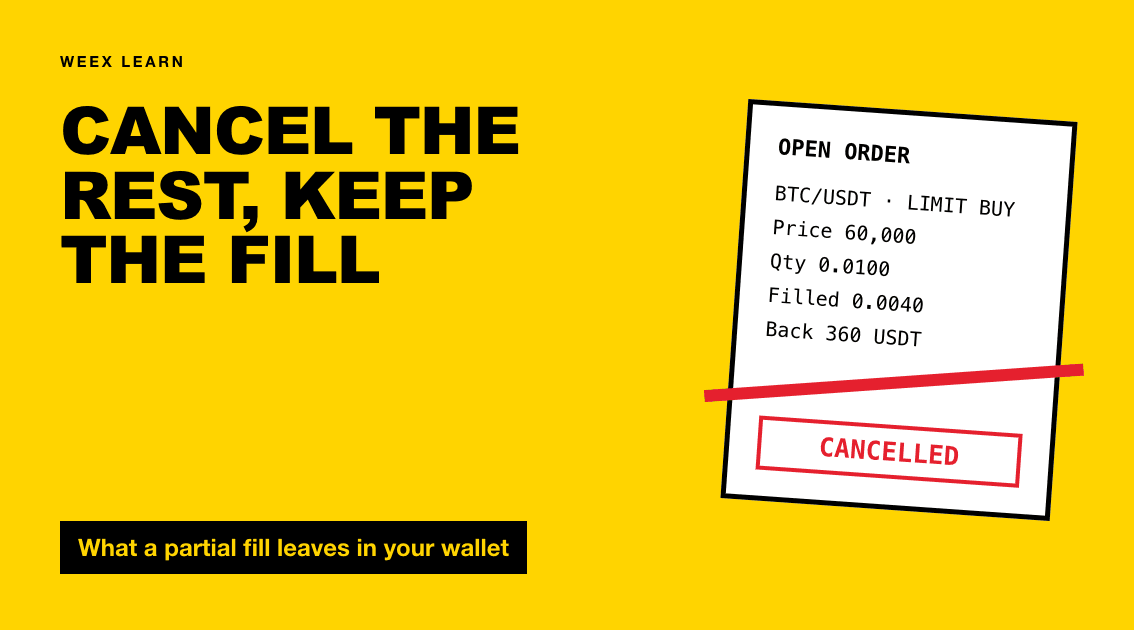
- Check the filled amount before you act. An order showing 0.004 of 0.01 filled is partially filled, and only the remaining 0.006 can be cancelled.
- Use the cancel control on that row and confirm if prompted.
- Look at the order history view. A partly filled order shows up there with its executed quantity, which tells you exactly what you kept.
Conditional orders deserve a separate look. WEEX's futures guide lists pending trigger orders under "Open Orders" → "Trigger", apart from ordinary limits, so check any similar sub-tab on spot for forgotten stop orders.
Cancelling Several Orders at Once
If you have laddered five buy limits and the market has moved away, cancelling them one by one is slow. WEEX's spot API documentation, as of October 2026, lists three cancel functions: cancel a single order, cancel all open orders on one trading pair, and batch-cancel a list of specific order IDs. WEEX's API error list also caps a single cancellation request at 50 orders.
The app and web interface do not always expose every API function as a button. If your version shows a cancel-all control, check whether it covers the current pair or every pair before pressing it; wiping the take-profit sells on another coin is a common self-inflicted mistake. Otherwise, cancel row by row.
What Happens to the Filled Part vs the Unfilled Part
A cancel only stops the part of an order still waiting in the book. Here is how each part is treated:
- Filled portion: settled the moment it matched. On a buy, the coins land in your spot balance. On a sell, the quote currency (USDT) lands there. A cancel cannot undo it.
- Fees: charged per fill, on the filled part only. The unfilled part generated no trade, so it carries no trading fee. Check the order details for which asset the fee was taken in.
- Unfilled portion: removed from the order book. The funds reserved for it are unlocked and returned to available.
- Status: a partly filled, then cancelled order shows a cancelled status with a non-zero executed quantity. WEEX's API uses NEW, PARTIALLY_FILLED, FILLED, CANCELED and EXPIRED; app labels may differ.
The point many traders miss is that a "cancelled" status does not mean "nothing happened." Always read the executed quantity before assuming you are flat.
A 0.01 BTC Example: Balances Before and After Cancelling
Assume a spot account holding 1,000 USDT and no BTC. The prices are illustrative, not live quotes. You place a limit buy for 0.01 BTC at 60,000 USDT.
Stage 1: order placed, nothing filled. The exchange reserves the full order value: 0.01 × 60,000 = 600 USDT. WEEX's Spot Terms describe this as the asset being locked in your account until the order is matched, cancelled or expired.
- Available USDT: 400
- Frozen (in orders) USDT: 600
- BTC: 0
Stage 2: 40% fills. Sellers hit your bid for 0.004 BTC. That consumes 0.004 × 60,000 = 240 USDT of the frozen amount.
- Available USDT: 400
- Frozen USDT: 360 (for the remaining 0.006 BTC)
- BTC: 0.004, minus the trading fee if the fee is taken in BTC
Stage 3: you cancel. The 0.006 BTC still unmatched leaves the order book, and its 360 USDT unlocks.
- Available USDT: 760
- Frozen USDT: 0
- BTC: about 0.004
To see the fee effect, use WEEX's VIP 0 spot rate of 0.100%, per the WEEX fee page as of October 2026; higher VIP tiers pay less. If the fee is taken from the bought asset, you end with 0.004 − 0.000004 = 0.003996 BTC. If it is taken in USDT, you hold 0.004 BTC and 759.76 USDT. Either way, total value spent is 240 USDT plus about 0.24 USDT in fees, and the 360 USDT you never used is fully back.
A sell-side mirror works the same way. A limit sell of 0.5 ETH freezes 0.5 ETH, not USDT. If 0.2 ETH fills before you cancel, you receive USDT for 0.2, and 0.3 ETH returns to available.
One wrinkle: a limit buy can fill below your limit price. If the 0.004 BTC matched at 59,900, it used 239.60 USDT, and the 0.40 USDT difference is released with the rest when the order closes. The buy limit order guide covers that pricing logic in more depth.
Why a Balance Can Still Look Frozen After a Cancel
If funds still show as frozen or "in order" after you cancel, check these in order:
- The cancel lost a race. A fill can arrive in the milliseconds between your tap and the exchange processing the cancel. Check the history: if the order shows as filled, there was nothing left to cancel. WEEX's API returns "There are no open orders to cancel" or "Order does not exist" in those situations.
- Another order is still open. A second limit or a trigger order on the same pair can hold its own reserve. Check every tab of Open Orders, including other pairs.
- The display hasn't refreshed. Reload the asset page.
- The funds sit in another account. Spot orders draw on the spot account only. A cancel won't move USDT that you transferred to futures.
- The cancel was refused. WEEX's Spot Terms allow it to reject a cancellation request. If an order stays open after several attempts, contact support with the order ID.
If cancelling is a recurring chore, consider the order type: a GTC limit rests until filled or cancelled, while an IOC order expires its unfilled remainder on its own. The full rules sit in WEEX's Spot Trading Terms of Use.
FAQ
1. Does cancelling a WEEX spot order cost a fee?
Trading fees are charged on fills, so the cancelled, unfilled part creates no trading fee. The filled part keeps the fee it was charged when it matched.
2. Can I cancel only part of the unfilled amount?
A cancel removes the whole unfilled remainder. To keep a smaller order working, cancel and place a new order for the size you want, or use an edit function if your app version offers one.
3. Why did my cancelled order still buy some coins?
It was partially filled before the cancel arrived. The executed quantity in order history shows how much you bought, and that portion cannot be reversed.
4. How long does it take for frozen USDT to return after a cancel?
Normally the reserved funds move back to available as soon as the cancel is confirmed. If they don't, refresh the page, then check for other open or trigger orders on the same pair.

Gainers


