
How to Use WEEX Bubbles: A Practical Guide to Crypto Bubbles and Market Trends

 Prefer us on Google


How to Use WEEX Bubbles: A Practical Guide to Crypto Bubbles and Market Trends
Crypto bubbles are visual market maps that represent individual assets as circles, making price movements easier to compare across one screen. WEEX Bubbles brings this format into the WEEX website, with “Market cap” and “Gainers” views for exploring market performance. Use it to identify unusual moves, build a research shortlist, and decide which assets deserve a closer look before opening a trading chart. (WEEX)
The strongest reason to use WEEX Bubbles is that it helps organize attention. A conventional price table is useful when you know what you want to inspect; a bubble map becomes useful when you are still asking, “What deserves my attention today?” Its value comes from turning a busy market into a manageable research process—not from treating the biggest green circle as an automatic buying opportunity.
Open the WEEX Crypto Bubbles page alongside this guide. The following sections explain how to read the display, switch perspectives, and turn what you notice into a more informed next step.
What Are Crypto Bubbles?
A crypto bubble chart places multiple assets on a shared visual canvas. Instead of reading a separate row for every asset, you compare circles, colors, labels, and percentage changes.
This makes the format useful for an initial market scan. You can notice a sharp decline, an unusually strong advance, or a contrast between several assets before investigating their individual charts.
The term “crypto bubbles” also has another meaning: speculative episodes in which prices rise rapidly and later collapse. That is a separate topic. In this guide, crypto bubbles refers to the visualization tool, not a conclusion that an asset is overpriced.
It is also important to distinguish the format from a specific provider. Different bubble-chart services can use different asset universes, sizing rules, and time windows. Instructions for one service should not automatically be applied to another.
For example, the provider BubbleMarkets describes market-cap-based sizing, while HookScreener describes a bubble map in which size reflects the strength of a price move. This difference is why the displayed metric matters more than the circle shape itself. (BubbleMarkets)
How Do You Read WEEX Bubbles?
Start with the written information, then use the visual presentation to prioritize what to inspect.
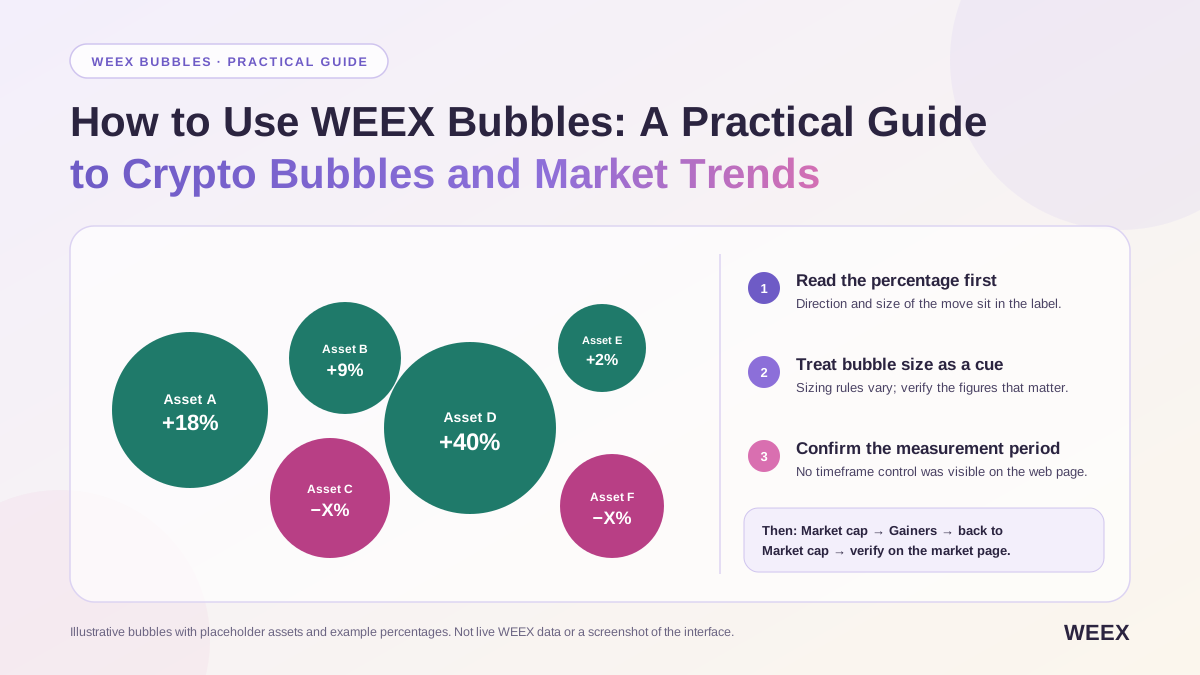
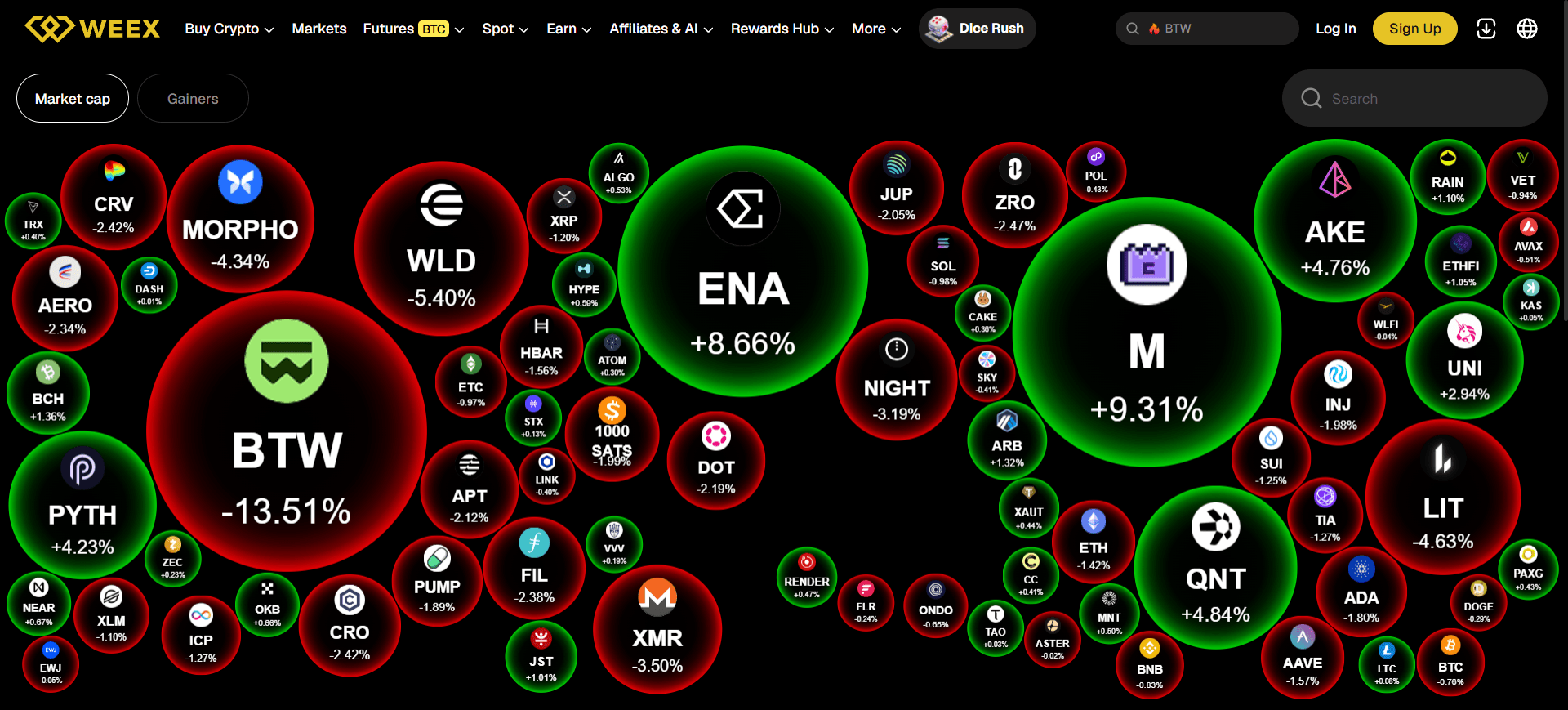
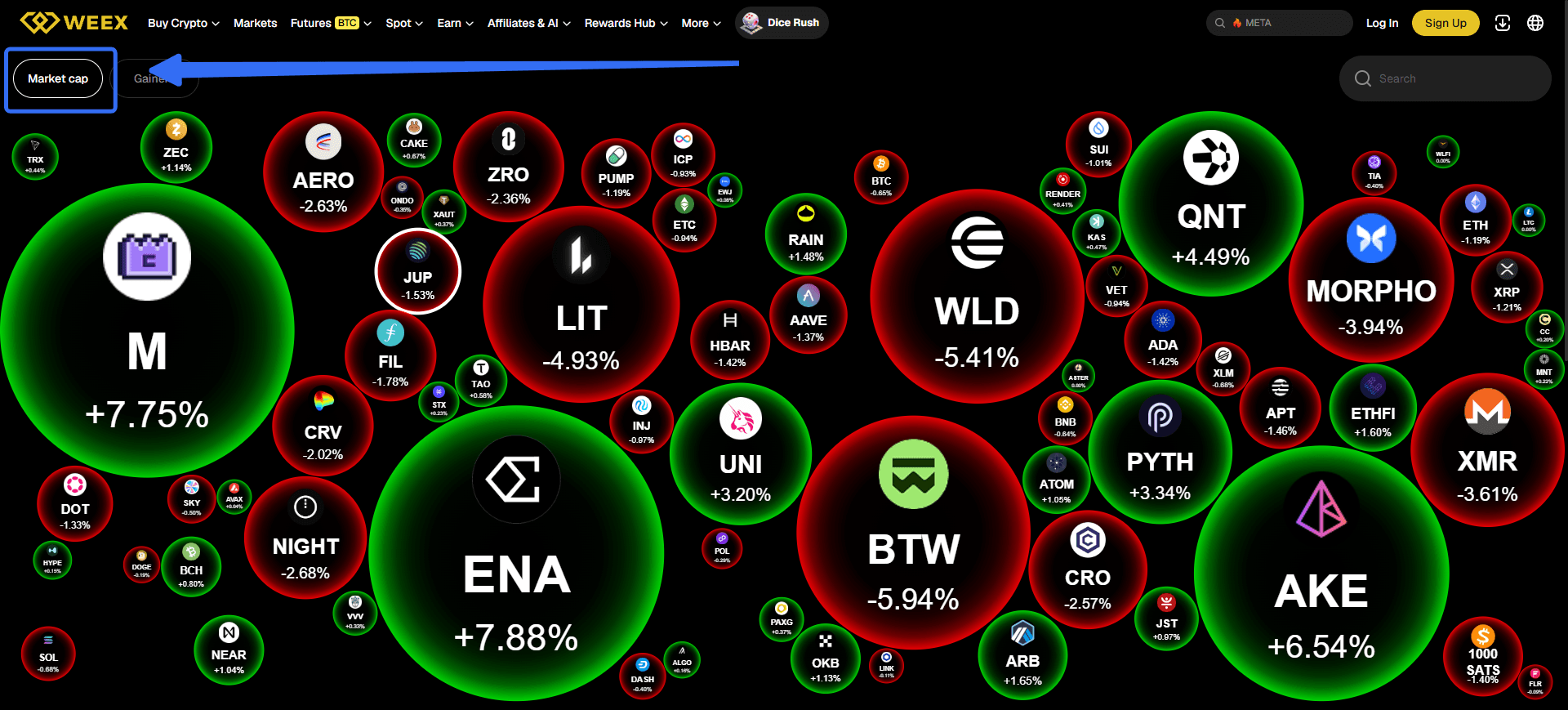
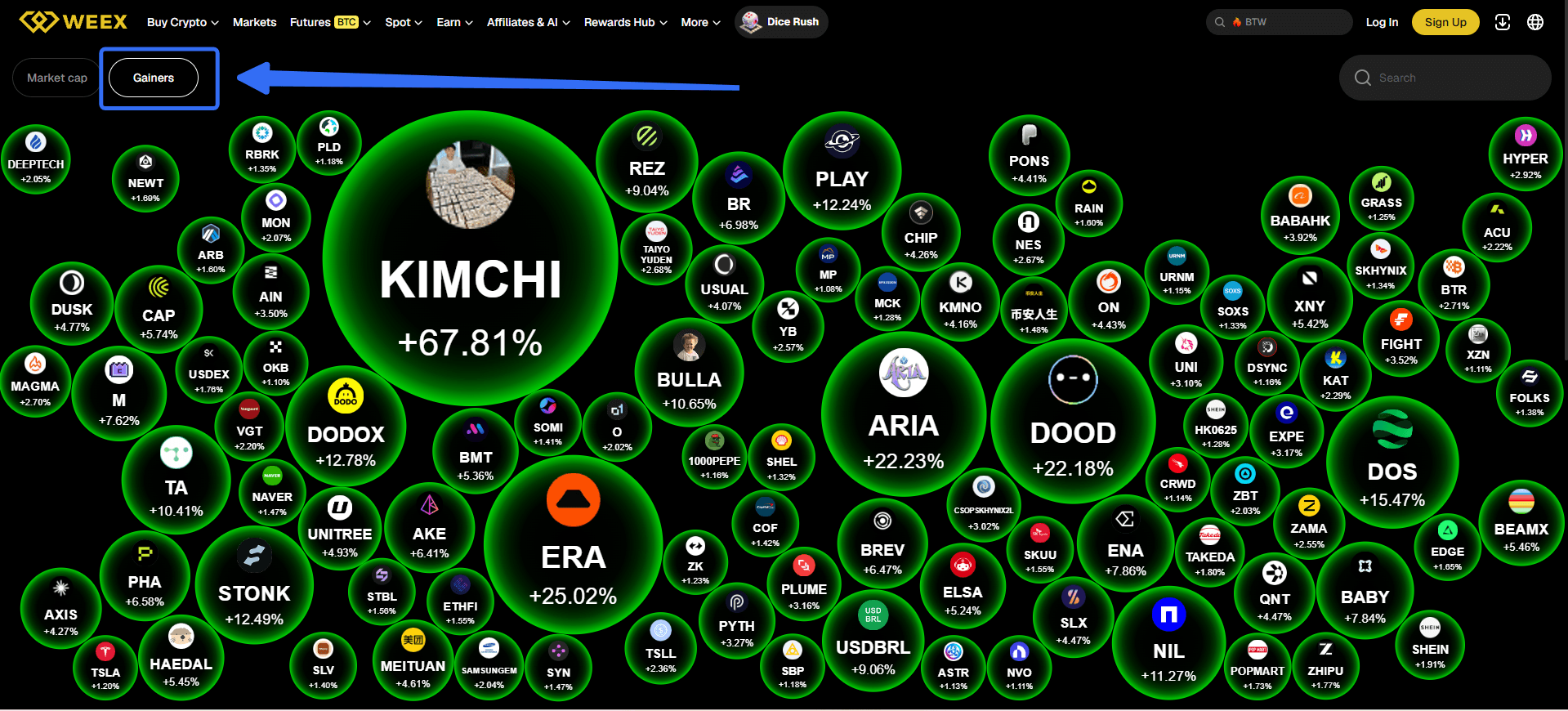
On the WEEX web interface reviewed on October 26, 2026, bubbles displayed asset symbols and signed percentage changes against a dark background. Positive and negative moves were differentiated visually. The interface also offered “Market cap” and “Gainers” controls.
Read the Percentage Before Interpreting the Color
A positive percentage indicates an increase over the measurement period being used. A negative percentage indicates a decrease.
The numerical label is the clearest starting point. Color helps you scan the screen, but the percentage tells you the magnitude and direction of the reported move.
Suppose two hypothetical assets show +2% and +18%. Both are positive, but they describe very different price changes. Treating them simply as “two green assets” would discard useful information.
The same principle applies to losses. A small decline and a sharp sell-off should not receive the same interpretation merely because both appear red.
Treat Bubble Size as a Cue to Investigate
A visually prominent bubble attracts attention, but prominence does not establish investment quality.
Do not assume that the largest circle must represent the asset with the highest market capitalization, deepest liquidity, or strongest fundamentals. The exact relationship depends on the visualization’s active rules.
In particular, a view labeled “Market cap” should not be interpreted as proof that every circle’s area is mathematically proportional to market capitalization. Read the asset label and percentage, then verify the underlying figures when they matter to your decision.
This approach keeps the visual useful without assigning it more precision than the interface establishes.
Check the Measurement Period Before Making Comparisons
A percentage change needs a time window to be meaningful.
The WEEX Bubbles mobile-app description discusses performance over the past 24 hours. However, a switchable timeframe control was not visible in the web interface reviewed for this guide. Do not assume that an hourly, weekly, or monthly control available in another bubble tool is also available on this page. (Apps on Google Play)
When following up on an asset, check the measurement period on the market or trading page. Comparing a daily move with a weekly move can produce a misleading conclusion even when both numbers are accurate.
What Are the Main Advantages of WEEX Bubbles?
WEEX Bubbles is particularly useful at the beginning of a research session. Its advantages come from visual comparison and its place within the broader WEEX browsing experience.
A More Accessible Starting Point for Market Research
A price table requires you to read across rows and columns. A bubble map lets you begin with a visual question: where are the most noticeable differences?
For beginners, this reduces the amount of information they must process before forming a useful question. Instead of opening numerous charts at random, they can identify a small set of assets that behave differently from the surrounding display.
For experienced users, it provides another way to scan familiar markets without beginning with a predetermined watchlist.
This is a practical workflow advantage rather than a claim that bubbles are always superior to tables. Tables remain better when you need exact sorting, numerical comparisons, or detailed filtering.
Two Views Support Different Research Questions
The web page’s “Market cap” and “Gainers” options provide different starting perspectives. During the interface review, switching to Gainers changed the displayed selection to advancing assets.
That distinction is useful because broad observation and winner discovery are different tasks.
| Research Task | Starting View | What to Do Next |
|---|---|---|
| Get an initial market overview | Market cap | Notice the mixture of advances and declines |
| Find assets showing positive moves | Gainers | Inspect the percentage change and investigate its context |
| Compare a candidate with the wider display | Return to Market cap | Check whether the move looks isolated or part of a broader pattern |
| Assess a possible trade | Relevant market or trading page | Examine price structure, liquidity, costs, and instrument details |
The advantage is not simply having two buttons. It is being able to change the question you are asking without abandoning the visual workflow.
A Convenient Connection to WEEX Markets
A market visualization is more useful when it helps readers continue their investigation.
The WEEX futures markets page provides a separate destination for reviewing listed pairs and moving toward detailed market information. WEEX describes its market tables as showing latest prices, 24-hour changes, and 24-hour trading volume.
That creates a useful sequence: notice an asset in Bubbles, confirm the appropriate market, and examine the information needed for a trading decision.
The benefit is continuity. The bubble map provides discovery; the market page provides a more detailed comparison surface. Neither needs to perform every task.
An Optional Mobile Companion
WEEX also offers a standalone Bubbles app. Its official launch announcement describes interactive bubble visualization and tapping bubbles for token information, with download links for Android and iOS. (Product Launches)
This gives users an alternative way to monitor markets away from a desktop. However, the website and standalone app should not be treated as identical products. Features documented for one version may not be present in the other.
-- Price
How Do You Use WEEX Bubbles Step by Step?
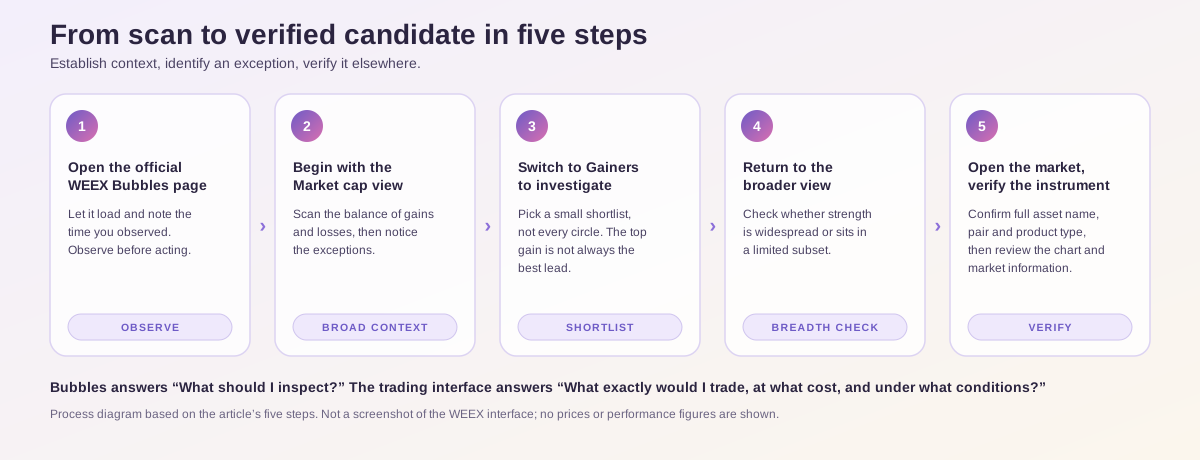
The most productive first session follows a simple order: establish context, identify an exception, and verify it elsewhere.
Step 1: Open the Official WEEX Bubbles Page
Visit WEEX Bubbles and allow the visualization to load.
Start with observation. There is no need to choose a trade immediately. Your first task is to understand the display and identify the selected view.
For a useful comparison later, note the time of your observation. A live market can change while you are researching, and an old screenshot does not represent the current state.
Step 2: Begin With the Market cap View
Use the Market cap view for your initial scan.
Look at the balance of positive and negative percentage changes within the displayed selection. Then notice exceptions: an advancing asset among decliners, a sharp loss among relatively quiet assets, or several pronounced moves in the same direction.
Keep your conclusion proportional to what you have seen. “Several displayed assets are declining” is a direct observation. “The entire crypto market is entering a bear market” requires substantially more evidence.
Step 3: Switch to Gainers to Investigate Strength
Select Gainers when your question becomes, “Which advancing assets should I investigate?”
Choose a small number of candidates rather than trying to research every circle. A useful shortlist might include one pronounced mover and one more moderate advance.
The largest percentage increase is not necessarily the most useful research candidate. An asset with a smaller move may have clearer news, more accessible market information, or trading conditions that are easier to evaluate.
Step 4: Return to the Broader View
After examining Gainers, return to Market cap.
This step prevents a common interpretation error: assuming that a screen full of advancing assets means the entire market is advancing.
A gainers selection is designed to show strength. You need the broader context to judge whether that strength is widespread or concentrated in a limited subset.
Step 5: Open the Relevant Market and Verify the Instrument
Continue to the appropriate WEEX market or trading destination for the asset you want to inspect.
Confirm the full asset name, trading pair, and product type. A familiar symbol is not enough, particularly when similarly named assets exist.
Then examine the chart and available market information. The bubble map has helped you decide what to investigate; it has not yet answered whether the asset fits your objectives or whether the trade can be executed on acceptable terms.
Why Can a Green Gainers Screen Be Misleading?
A green Gainers screen can be accurate while still giving an incomplete picture of the market.
The reason is selection. Once you choose a view focused on advancing assets, you are examining a subset rather than an unbiased cross-section.
Consider this hypothetical example, which is not live WEEX data:
| Hypothetical Display | Advancing Assets | Declining Assets | What You Can Conclude |
|---|---|---|---|
| Broader sample of 100 assets | 30 | 70 | Most assets in this sample declined |
| Gainers subset drawn from that sample | 30 | 0 | The selected winners advanced |
| Same market, different view | — | — | A green subset does not establish broad market strength |
Both displays can be correct. The error occurs when the second is used to describe the first.
This distinction helps explain why switching views matters. Gainers is useful for discovery, while a broader sample provides context.
The percentage of advancing assets in a defined sample can also be calculated:
Advancing share = advancing assets ÷ total assets in the sample × 100
In the example above, that is 30 ÷ 100 × 100 = 30%.
This is a manual analytical concept, not a claim that WEEX Bubbles supplies a built-in market-breadth indicator.
How Can You Turn a Bubble Into a Better Research Question?
A useful bubble observation should lead to a specific question rather than an immediate order.
The following scenarios show how to make that transition. All figures are illustrative.
Scenario 1: One Asset Rises While Others Fall
Suppose one asset shows +9%, while many surrounding assets show modest losses.
The observation suggests relative strength within that sample and measurement window. It does not explain the cause.
The next question is whether a verifiable catalyst exists. Look for an official announcement, a change in the project’s circumstances, or another credible explanation. Then inspect whether the move developed gradually or followed a sudden spike.
An isolated advance may deserve research precisely because it differs from its surroundings. That difference is the beginning of the investigation.
Scenario 2: Several Assets Advance Together
Suppose several assets associated with a similar theme are positive.
This may support a question about shared drivers. However, visual proximity alone does not establish a sector relationship. Animated bubbles positioned next to one another should not be treated as a correlation analysis.
Confirm the assets’ actual relationship, compare their charts over the same period, and investigate whether the same event plausibly affects all of them.
Scenario 3: One Asset Shows a Very Large Gain
Suppose an asset displays +40%.
A large reported gain makes the asset noticeable, but it also creates a timing question. Has the move already occurred? Is current buying activity continuing? How far is the current price from a level at which your trade idea would be invalidated?
The bubble shows a reported change. A trading plan must address what happens after your entry.
What Should You Check Before Trading an Asset Found Through Bubbles?
The next stage is to replace visual attention with execution detail.
Start with the WEEX futures markets if you are researching futures. Confirm that the exact intended contract is available. If your objective is direct asset ownership instead, inspect the relevant spot market separately.
These products serve different purposes. Futures can provide directional exposure without the same ownership arrangement as a spot purchase, and leveraged positions introduce margin and liquidation considerations.
| Check | Why It Matters After a Bubble Catches Your Attention |
|---|---|
| Exact asset and pair | Confirms you are researching the intended instrument |
| Chart structure | Shows how the reported percentage change developed |
| Spread and order-book depth | Helps assess execution conditions at your intended size |
| Order type | Determines how price control and execution interact |
| Futures funding, where applicable | Adds a holding-cost consideration beyond price movement |
| Position size and exit conditions | Connects the idea to a manageable risk plan |
Consult the WEEX fee schedule for applicable trading costs. Do not assume that viewing an asset in Bubbles grants a fee discount or campaign eligibility.
A useful separation is: Bubbles helps answer “What should I inspect?” The trading interface helps answer “What exactly would I trade, at what cost, and under what conditions?”
How Can You Build a Three-Minute WEEX Bubbles Routine?
A short routine can prevent a visual market map from becoming an endless source of distractions.
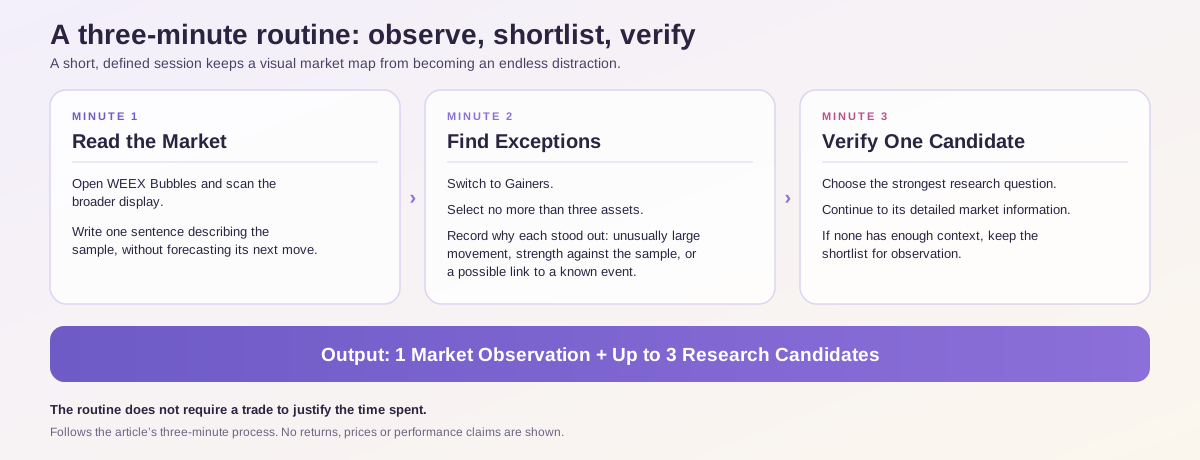
During the first minute, open WEEX Bubbles and scan the broader display. Write one sentence describing the sample without forecasting its next move.
For example: “The displayed selection is mixed, with a few pronounced advances and several moderate declines.”
During the second minute, switch to Gainers and select no more than three assets for further investigation. Record why each attracted your attention: unusually large movement, strength against the surrounding sample, or a possible connection to a known event.
During the third minute, choose the strongest research question and continue to its detailed market information. If none has sufficient context, keep the shortlist for observation.
The routine produces a defined output: a market observation and a small research queue. It does not require a trade to justify the time spent.
Is the WEEX Bubbles Website the Same as the Mobile App?
The website and standalone mobile app share a visualization concept, but their documented features should be distinguished.
The web interface reviewed for this article exposed Market cap and Gainers views. Separately, the Android listing documents watchlist management and bubble pop-ups showing prices, 24-hour changes, and trading shortcuts. These app features should not be promised as identical web functionality. (Apps on Google Play)
| Version | Best Starting Use | Important Distinction |
|---|---|---|
| WEEX Bubbles website | Browser-based market scanning | Follow the controls actually displayed on the page |
| Standalone Android app | Mobile monitoring | The listing documents additional mobile interactions |
| Standalone iPhone app | Mobile market visualization | Availability and features depend on the installed version |
The standalone app is available through Google Play and the Apple App Store. The listings describe it as free. The Android description also distinguishes the visualization app from trading and wallet-storage services. (Apps on Google Play)
For readers learning the tool for the first time, the website is a convenient place to begin before deciding whether a separate mobile installation fits their routine.
What If WEEX Bubbles Is Not Loading or Looks Different?
Begin by distinguishing a display problem from a market observation.
A loading screen does not show that assets have stopped trading. An empty or incomplete visualization should not be interpreted as market inactivity.
Refresh once, check your connection, and confirm that the page has finished loading. If the display remains incomplete, use the market table as an alternative while the visualization is unavailable.
If you are following a screenshot, remember that live percentages and bubble positions can change. Match the asset symbol and relevant measurement period rather than expecting the screen to reproduce an earlier arrangement.
Also distinguish web instructions from mobile-app instructions. A feature described in an app listing may not appear in your browser. Use only the controls available in the version you are accessing.
WEEX Editorial View
WEEX Bubbles is most useful as a repeatable starting point for market research. Its visual format helps readers notice differences, while the surrounding WEEX market tools provide a route toward more detailed investigation.
The habit worth building is simple: establish context, find an exception, and verify it. That gives the tool a clear job and keeps visual excitement from replacing analysis.
Try that process on the WEEX Crypto Bubbles page: begin with Market cap, inspect Gainers, then choose one asset whose movement you want to understand. A better research question is already a useful result.
FAQ
1. What Is WEEX Bubbles?
WEEX Bubbles is a visual market tool that displays assets as bubbles with identifying labels and percentage changes. The website provides Market cap and Gainers views for exploring market performance.
2. What Do Green and Red Crypto Bubbles Mean?
Green generally represents a positive reported price change, while red represents a negative change. Read the signed percentage and confirm the measurement period before drawing a conclusion.
3. Does a Bigger Bubble Mean an Asset Is a Better Investment?
No. Bubble size is a visualization characteristic whose meaning depends on the active rules. It does not establish stronger fundamentals, deeper liquidity, or a higher probability of future gains.
4. Can You Buy Crypto Directly Inside the Standalone WEEX Bubbles App?
The Android listing describes the standalone app as a market visualization and tracking tool rather than a trading or wallet-storage service. Trading shortcuts and information links should be distinguished from placing an order inside the visualization app. (Apps on Google Play)
5. How Should Beginners Start Using Crypto Bubbles?
Open WEEX Bubbles, begin with the broader view, identify an unusual move, and inspect Gainers for additional candidates. Then verify the exact asset and review its detailed market information before considering a trade.
Sources
| Source | Material Used | Date |
|---|---|---|
| WEEX Crypto Bubbles | Live web-interface review and visible controls | Checked October 26, 2026 |
| WEEX Bubbles Product Launch | Standalone-app introduction and documented interactions | Published April 24, 2026 |
| WEEX Bubbles on Google Play | Android features and product scope | Accessed October 26, 2026 |
| WEEX Bubbles on the App Store | iPhone availability and description | Accessed October 26, 2026 |
| WEEX Futures Markets | Market-table information and research destination | Accessed October 26, 2026 |
| BubbleMarkets Reading Guide and HookScreener Bubble-Chart Guide | Differences between providers’ sizing conventions | Accessed October 26, 2026 |
This content is provided for general informational purposes only and doesn't constitute financial, investment, legal, or tax advice. Any events, rewards, online promotions, or related information mentioned herein should not be considered a recommendation, solicitation, or invitation to purchase, sell, trade, or otherwise deal in any crypto assets. Crypto assets are highly volatile and may result in loss. The availability of WEEX services, products, and related events may vary by region. You are responsible for ensuring that your participation is in accordance with applicable local laws and regulations.
You may also like
Bloom Crypto Bot Wallet Drains: What Happened and What Users Should Check
Crypto Convert vs Transfer vs Bridge: Which Action Do You Need?

Is United States Dividend Fund (USDF) Legit? What Website Checks and Reddit Actually Show

Why Did Pump.fun Partner With Kimchi? What the Deal Means for Traders
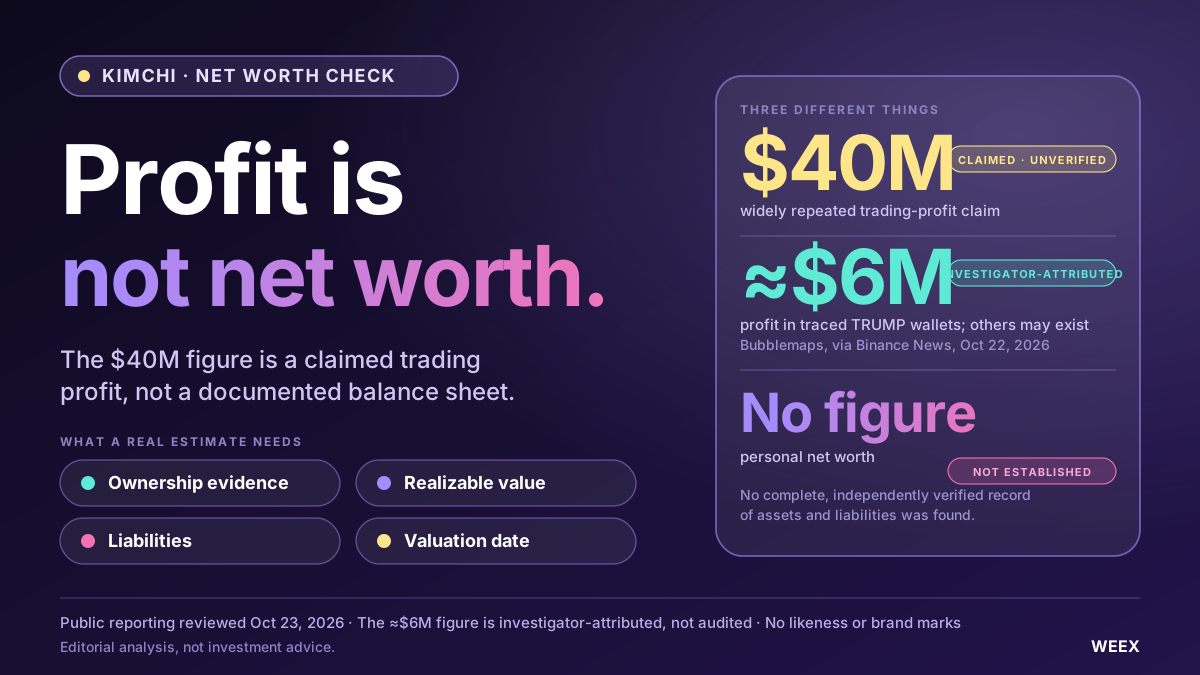
What Is Kimchi Crypto Trader’s Net Worth? Examining the $40 Million Claim

How to Trade Gold in Forex: What XAU/USD Is, How Pips and Lots Work and the Risks to Know
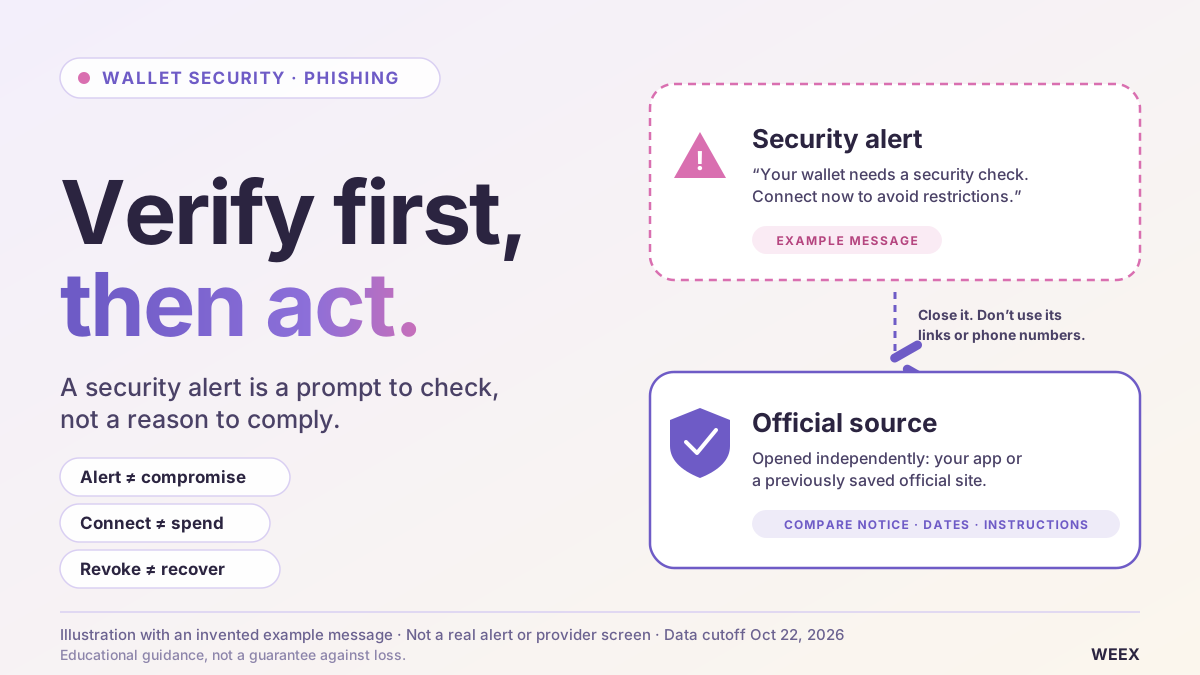
Is Your Crypto Wallet Safe? How to Verify Security Alerts and Spot Phishing
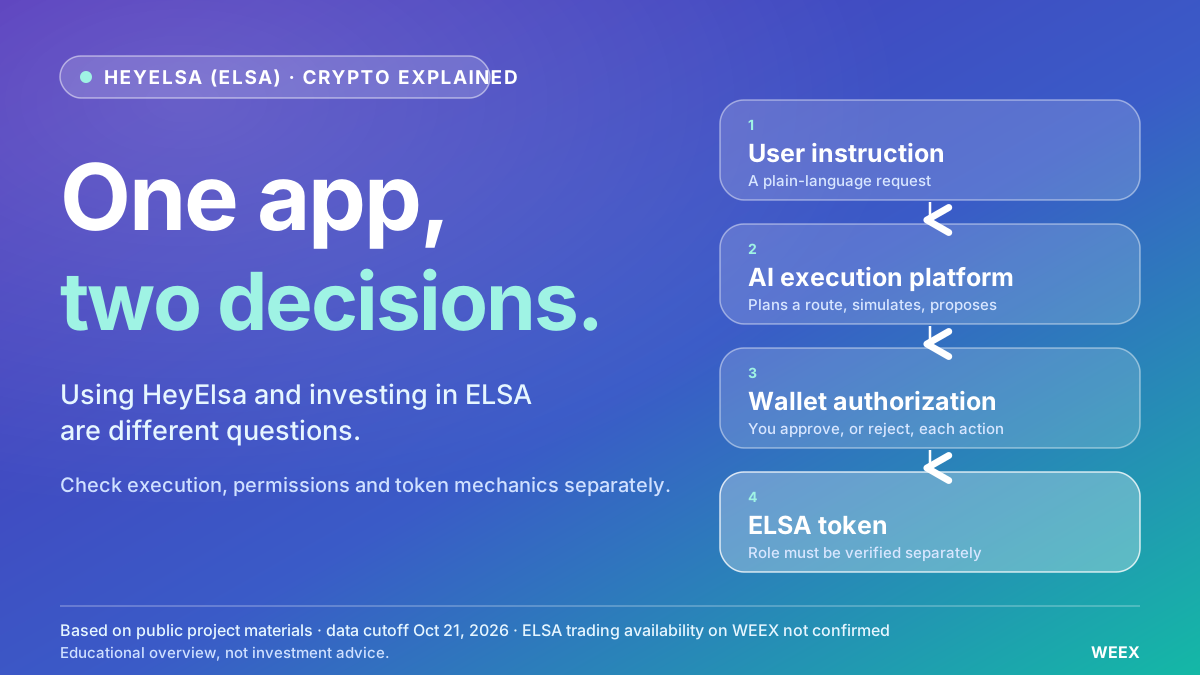
What Is HeyElsa (ELSA) Crypto and How Does It Work?

What Is Leverage Trading in Crypto? A Beginner’s Guide With Simple Examples
Fake Crypto Payments: What to Check Before Handing Over Goods

What Is Blockchain Interoperability? How Cross-Chain Bridges and Messaging Work

Best Crypto Trading Strategies for Beginners: What to Know Before You Trade
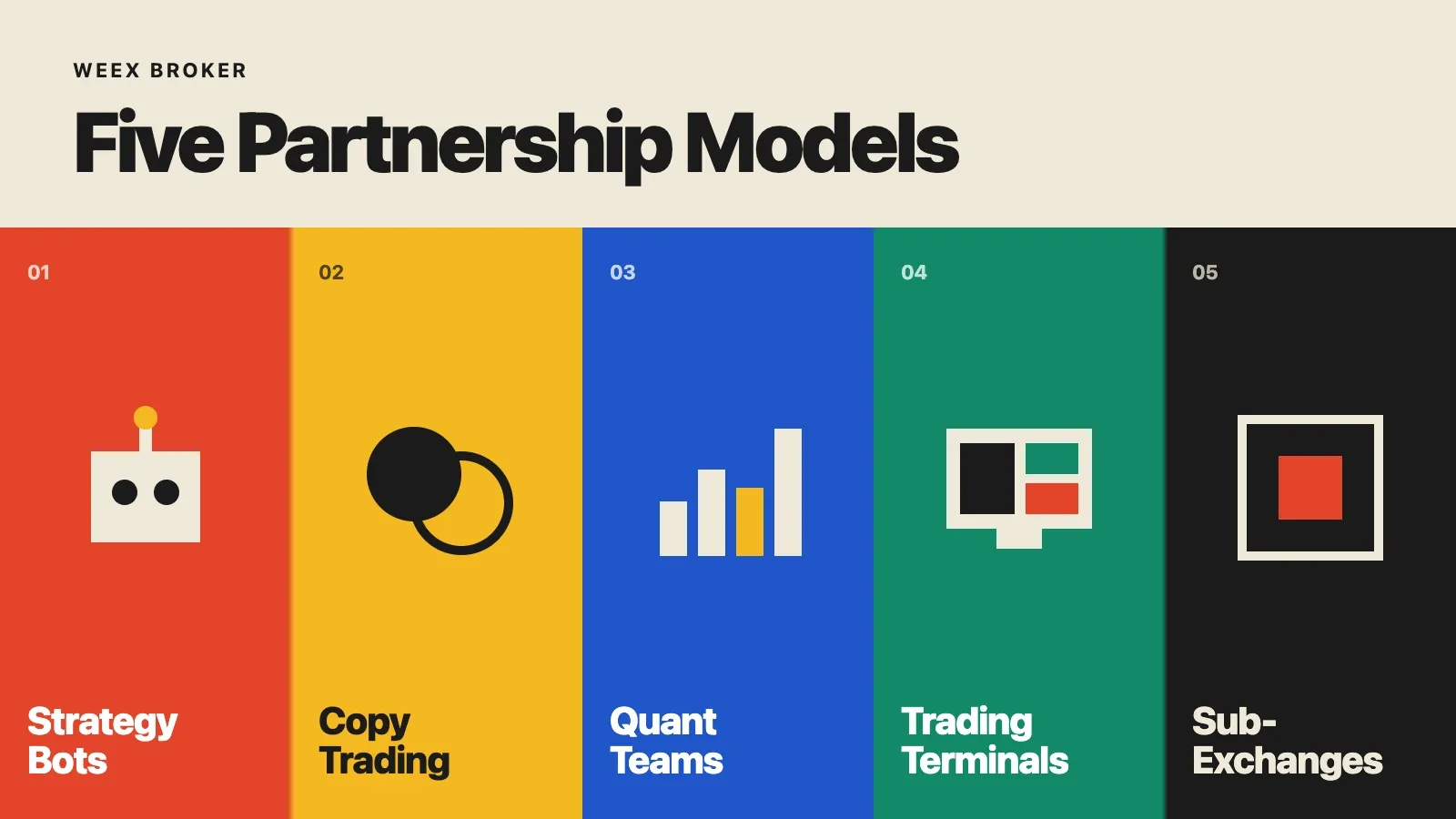
WEEX Broker Models: Strategy Bots, Copy Trading and Sub-Exchanges

What Is Orca (ORCA) Crypto? The Solana DEX, USDY Liquidity, and the ORCA Name Confusion

What Is a Decentralized Crypto Exchange (DEX)? How It Works, Costs, Risks, and When to Use One
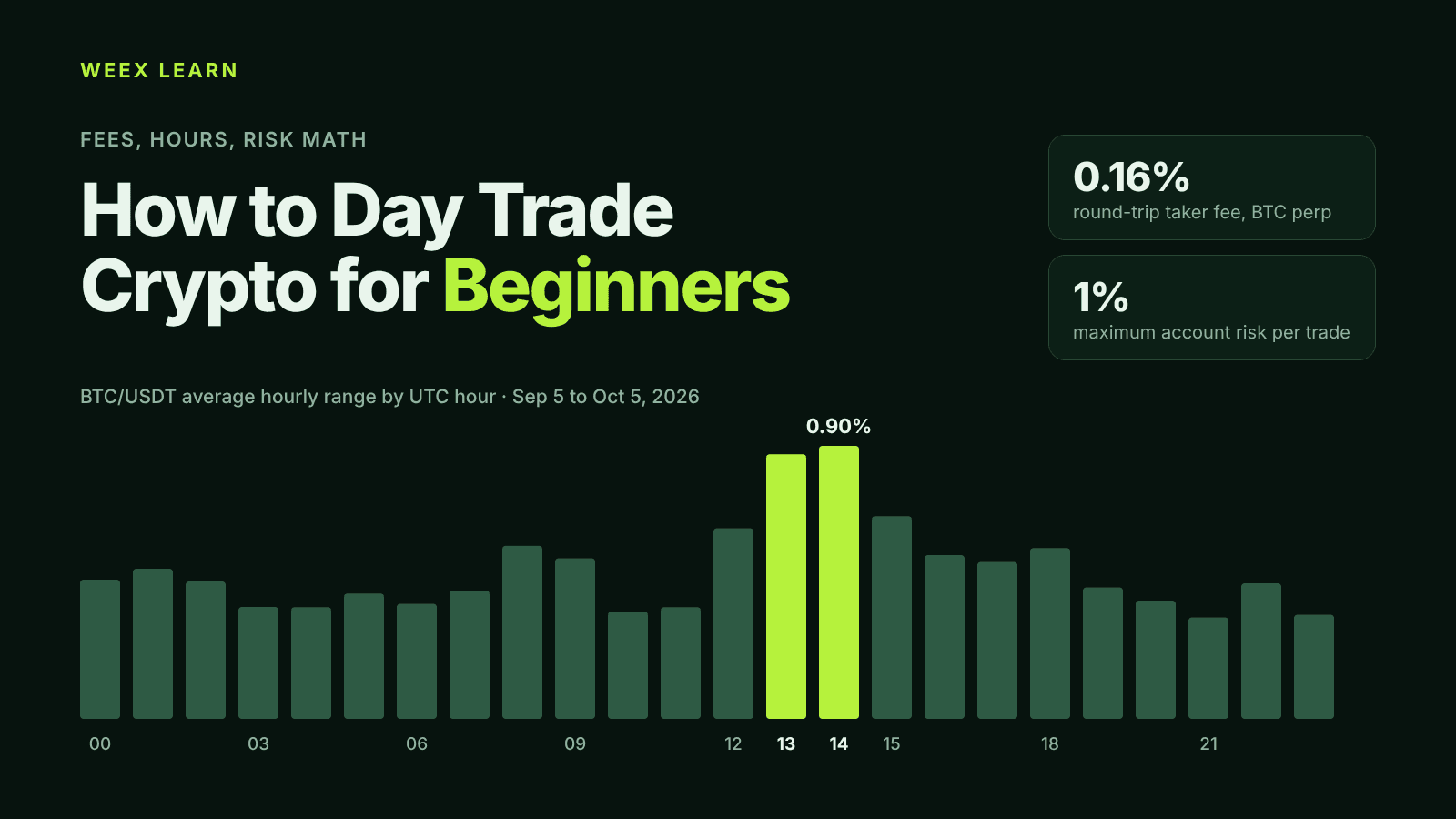
How to Day Trade Crypto for Beginners: Fees, Hours, Risk Math

Self-Custody Wallets: When a Crypto Transfer Must Be Reported to Brazil's Coaf
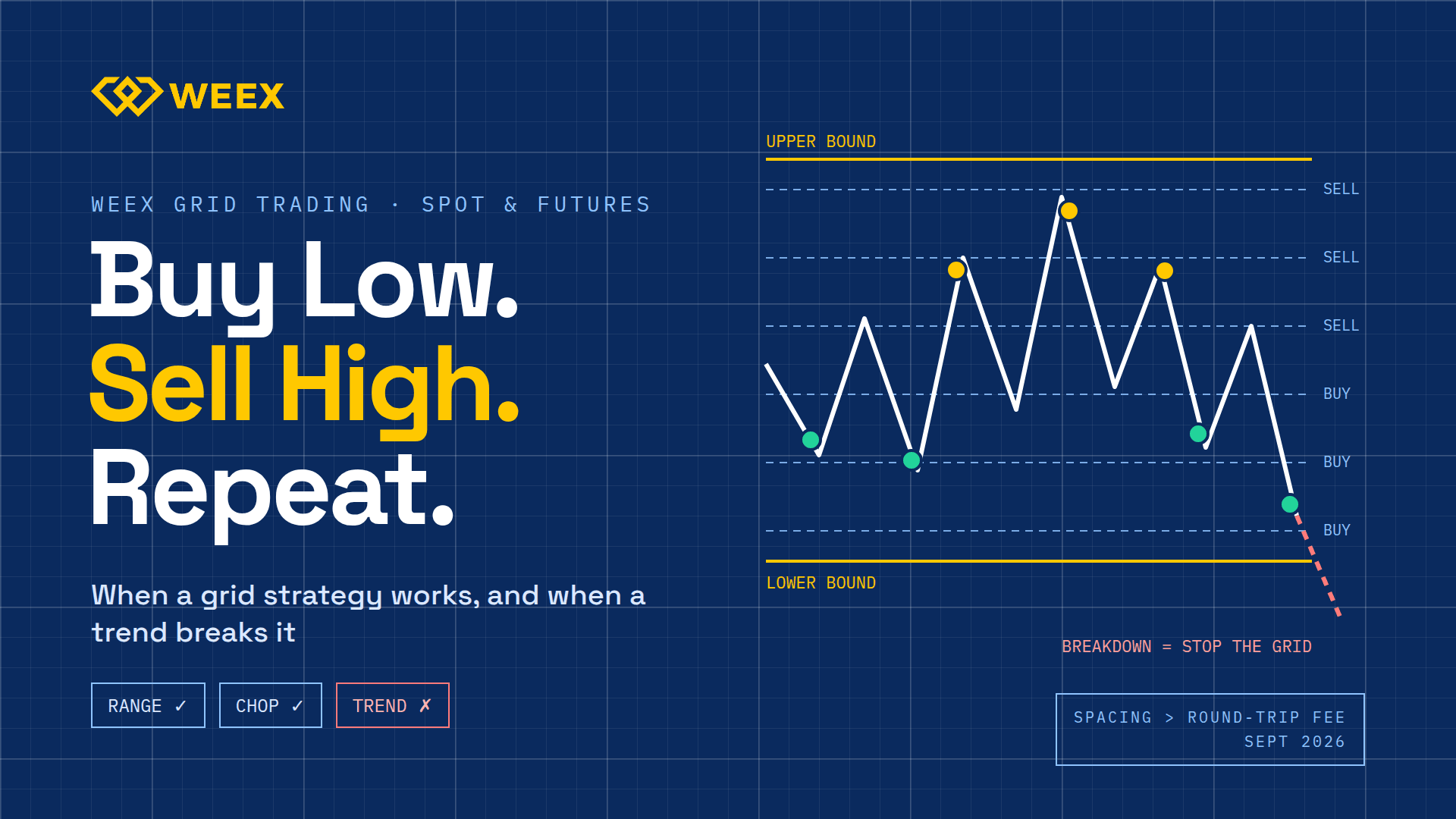
WEEX Grid Trading: When a Grid Strategy Works and When It Fails
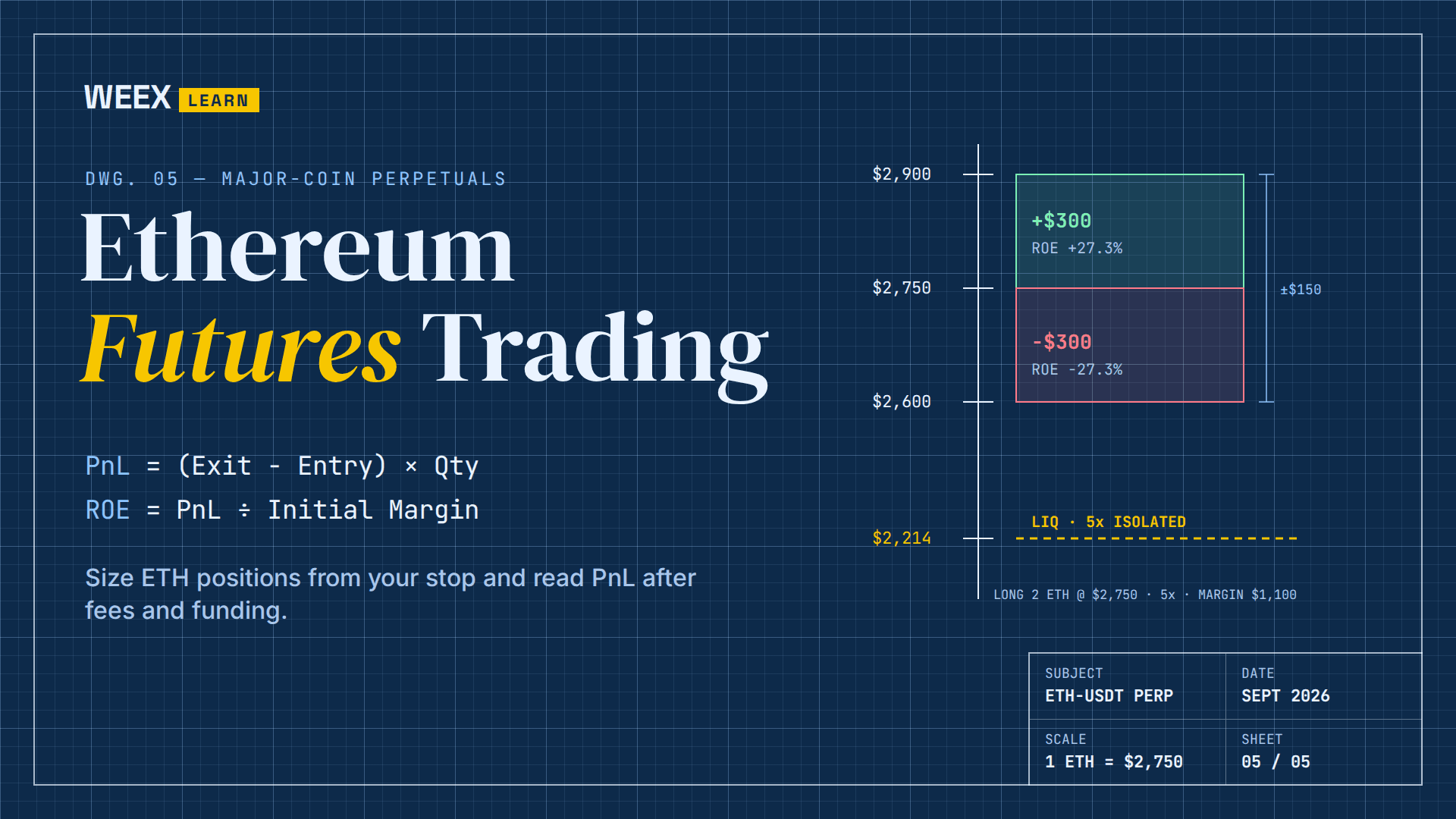
Ethereum Futures Trading: How to Size ETH Positions and Read PnL

What Is a White Label Crypto Exchange? A Complete Beginner's Guide
Is Hyperliquid Safe? Risks You Should Know Before You Trade

What a Blockchain Explorer Can and Cannot Tell You

How to Look Up a Wallet Address and Transaction History

How to Verify a Crypto Transaction With a Blockchain Explorer?
BTC Futures Trading on WEEX: Claim BTC Rewards Before Sep 25
What Is a Funding Rate? How Perpetual Futures Charge Longs and Shorts
Perpetual Futures for Beginners: Margin, Funding and Liquidation Explained
What the LUSD Attack Shows About DeFi Risk
What Is BONK? WEEX Spot and 1000BONK Futures Status and Risk Checks
What Is BRETT? WEEX Spot and Futures Status and Risk Checks
Bloom Crypto Bot Wallet Drains: What Happened and What Users Should Check
Crypto Convert vs Transfer vs Bridge: Which Action Do You Need?
Is United States Dividend Fund (USDF) Legit? What Website Checks and Reddit Actually Show
Why Did Pump.fun Partner With Kimchi? What the Deal Means for Traders
What Is Kimchi Crypto Trader’s Net Worth? Examining the $40 Million Claim
How to Trade Gold in Forex: What XAU/USD Is, How Pips and Lots Work and the Risks to Know



